

Dynamo-Replace any value in sheet number (for Revit 20 : 26)
$1.00
Easily replace any text in Revit sheet numbers with Dynamo. Search and replace in bulk to save time and keep numbering consistent.
Description
It is compatible with Revit 2020 to 2026.
This Dynamo tool helps you quickly rename sheet numbers in Revit.
Instead of editing each sheet one by one, you can search for part of the sheet number and replace it with new text automatically.
How to use:
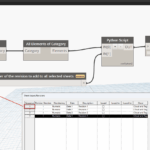
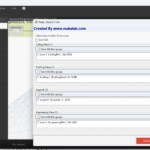
Select all sheets in your project.
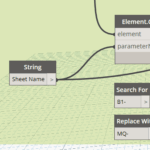
Type the text or code you want to search for (e.g.,
B1-).Type the text you want to replace it with (e.g.,
MQ-).Run the script → All sheet numbers will be updated at once.
Examples:
B1-101, B1-102, B1-103→ changes to →MQ-101, MQ-102, MQ-103OLD-01, OLD-02→ changes to →NEW-01, NEW-02
Why use this tool?
Saves hours of manual work.
Keeps sheet numbers consistent.
Avoids mistakes from renaming sheets one by one.
Which Revit version does this script work with?
It is compatible with Revit 2020 to 2026.