
Dynamo-Replace any value in sheet name (for Revit 20 : 26)
$1.00
Bulk replace text in Revit Sheet Names with Dynamo. Search and replace words, prefixes, or phrases across all sheets automatically.
Description
It is compatible with Revit 2020 to 2026.
Easily find and replace text inside Revit Sheet Names using Dynamo.
This script lets you bulk-edit sheet names by searching for a text string and replacing it with another, saving hours of manual renaming.
How it works:
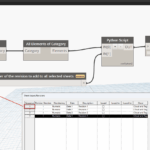
Select Category → Sheets
The script automatically collects all sheets in the project.
GetParameterValueByName
Reads the Sheet Name parameter for each sheet.
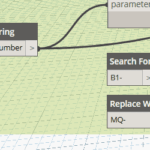
String.Replace
Search for a word, prefix, or phrase (e.g.,
B1-).Replace it with a new text (e.g.,
MQ-).
SetParameterByName
Updates the Sheet Name parameter with the new value.
Example:
Before:
B1-Level1,B1-Level2,B1-Level3After:
MQ-Level1,MQ-Level2,MQ-Level3
Benefits:
Batch replace across all sheets in seconds.
Avoids manual renaming errors.
Works with any substring in the sheet name (prefix, suffix, or middle).
Which Revit version does this script work with?
It is compatible with Revit 2020 to 2026.