- Dynamo
Dynamo-Create new mulit sheets from excel (for Revit 20 : 26)
- $1.00
- Add to cart
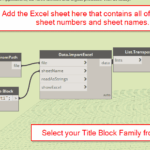
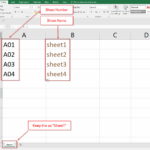
- Create multiple Revit sheets from Excel with Dynamo.Use Sheet1 with Column A = Sheet Number and Column B = Sheet Name, choose a Title Block, and generate sheets automatically.
- Dynamo
Dynamo-Replace any value in sheet name (for Revit 20 : 26)
- $1.00
- Add to cart
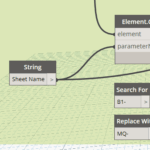
- Bulk replace text in Revit Sheet Names with Dynamo. Search and replace words, prefixes, or phrases across all sheets automatically.
- Dynamo
Dynamo-Replace any value in sheet number (for Revit 20 : 26)
- $1.00
- Add to cart
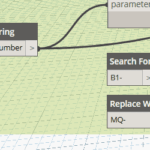
- Easily replace any text in Revit sheet numbers with Dynamo. Search and replace in bulk to save time and keep numbering consistent.
- Dynamo
Dynamo-Change the Room Name to UPPERCASE (for Revit 20 : 26)
- $1.00
- Add to cart
- Convert all Revit room names to uppercase with Dynamo. Standardize naming instantly across your project.
- Dynamo
Dynamo-Apply Sheet Issue Revision to multiple sheets (for Revit 20 : 22)
- $1.00
- Add to cart
- Apply a revision to multiple Revit sheets with Dynamo. Just enter the revision sequence number and update all sheets in seconds.
- Dynamo
Dynamo-Auto-Dimensions Walls, Grids (for Revit 20 : 26)
- $9.00
- Add to cart
- Revit Dynamo Auto dimensions to walls and grids automatically.Select your elements and get clean single chain dimensions—Top for vertical sets, Left for horizontal/angled sets. No offsets or extra inputs needed.
- Dynamo
Dynamo-Renumber Grids (for Revit 20 : 22)
- $1.00
- Add to cart
- Revit Dynamo renumber grids quickly and automatically with this Dynamo script.Add an optional prefix, set a starting number or letter, and the tool will generate a clean sequence for your grids.Perfect for architects, engineers, and BIM managers who need fast and consistent grid naming in Revit.